Skip to content
GEPCO Online Bill Check by Consumer ID 2026
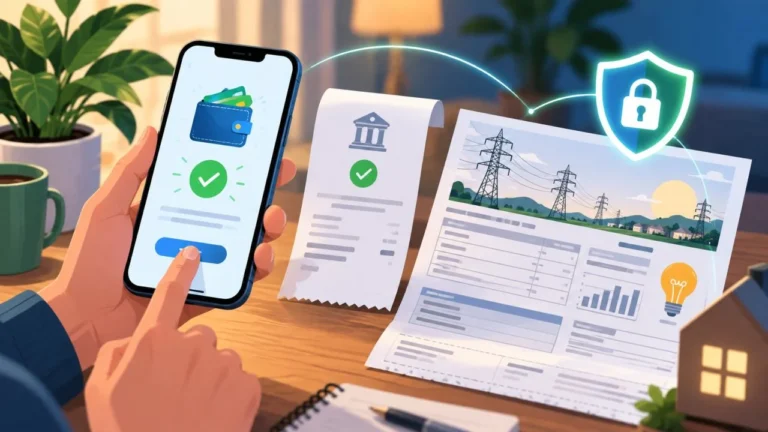
Checking your GEPCO electricity bill online takes less than two minutes. Whether you live in Gujranwala, Sialkot, Gujrat, Hafizabad, Narowal, or Mandi Bahauddin, you do not need to visit any office or wait for a paper copy. You only need your consumer ID or reference number.
Consumer ID vs Reference Number: Know the Difference First
This is the gap most websites skip over, and it causes the most confusion.
Your consumer ID (also called customer ID) is a permanent 10-digit number tied to your electricity connection. It never changes, month after month, year after year. Save it in your phone once and you are set forever.
Your reference number is a 14-digit number that changes every billing cycle. A new one is printed on each monthly bill.
Both work for online bill checking, but the tool needs to know which one you are entering. Selecting the wrong option is the single most common reason people see a “bill not found” error even when their number is correct.
Where to find your consumer ID: Look at the upper section of any GEPCO bill, near the top left, under a label that says Consumer ID or Customer ID. It also appears on the detachable payment slip at the bottom of your bill and sometimes on a card near your electricity meter.
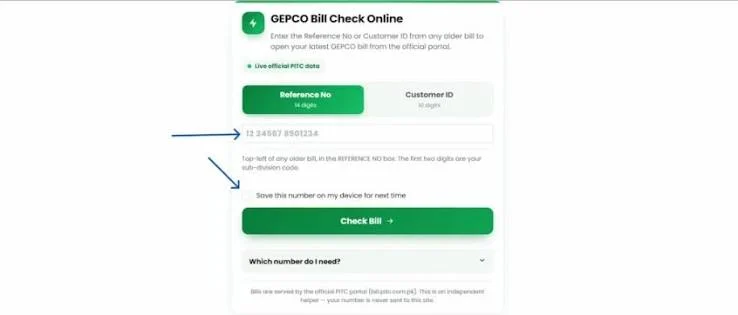
Where to find your reference number: It is printed just below or beside your consumer ID in the same upper section, under a heading that says Reference No. Enter only the 14 digits. Do not include the letter R or U that sometimes appears printed next to it.
How to Check Your GEPCO Bill Online: Step by Step
- Go to bill.pitc.com.pk (the official PITC portal that powers GEPCO billing) or use a trusted GEPCO bill checking tool
- Select whether you are entering a reference number or a consumer ID
- Type the number exactly as printed, no spaces, no dashes, no extra characters
- Click the check or search button
- Your latest bill appears on screen. Download it as PDF or print it directly from your browser
That is the entire process. No login, no registration, and no fee.
How to Check GEPCO Previous Month Bill
This is something competitors either ignore or explain badly. Here are your actual options:
Option 1: Check your current bill online. Every GEPCO bill includes a billing history table in the lower section showing the last 11 to 12 months of charges and units. Previous month details are right there.
Option 2: Use the reference number from your old paper or PDF bill. Each reference number is locked to one billing cycle, so the old number retrieves that exact bill.
Option 3: Enter your consumer ID to pull up the most recently available bill in the system.
Checking GEPCO Bill Without Reference Number
Lost your paper bill and cannot find the reference number? Use your consumer ID instead. It works exactly the same way in the bill checking tool and since it never changes, even an old bill from six months ago will show the same consumer ID you need today.
If you have lost both numbers, call the GEPCO helpline at 118 with your CNIC. The representative will look up your consumer ID and reference number over the phone.
Can You Check GEPCO Bill by CNIC
No. The online portal does not support CNIC based bill lookup. You must use your reference number or consumer ID. Calling the helpline at 118 is the only way to retrieve your numbers using your CNIC.
Why Your Bill Amount Changed Even Though Usage Was Similar
Competitors barely explain this. Three things cause it:
Fuel Price Adjustment: NEPRA approves a monthly fuel cost adjustment that can add or subtract a significant amount from your bill regardless of your units consumed. This changes every month.
Tariff Slab Change: GEPCO uses a slab-based tariff where higher monthly consumption means a higher rate per unit. If your units crossed into the next slab, your effective rate went up.
Arrears: Any unpaid balance from a previous bill carries forward and adds to the current total.
Paying Your GEPCO Bill Online
Pay through JazzCash, EasyPaisa, any bank’s mobile or internet banking app, ATM, or at a bank counter using your reference number. After paying digitally, allow one to two working days for the paid status to update in the system.
GEPCO Helpline and Contact
Call 118 around the clock for billing queries, power outage reports, and consumer complaints. You can also reach GEPCO at 0800-000-34 or the office line 0092-55-9200504. If you visit in person, bring your CNIC and any available bill copy.
Quick Answers
Is checking GEPCO bill online free? Yes, no account and no fee needed.
Will my connection be cut if I miss the due date? Not for one missed bill. A late payment surcharge applies, but NEPRA rules prevent disconnection for a single unpaid month with no prior outstanding balance.
Where is the reference number on my GEPCO bill? Upper section of the bill near your consumer ID, under the heading Reference No. Enter only the 14 digits.
Can I use my consumer ID every month? Yes. Save it once and use it forever since it never changes.
Practical checklist for GEPCO Online Bill Check by Consumer ID 2026
Before you finish this task, write down the bill month, reference number, current reading, previous reading, units, due date and payable amount. Keeping these fields together helps you explain the issue in one message and gives the office a useful starting point. If you are checking a bill for a family member or tenant, confirm who is responsible for the connection and keep the account holder informed.
Make a month-by-month record rather than relying on memory. A simple note can include the reading date, meter photograph, units consumed, payment date, receipt number and any complaint number. When a value changes, describe the change in plain language: for example, the reading is estimated, the units are higher than the meter record, or an adjustment appears for the first time. Clear facts are more useful than an accusation.
How to compare two GEPCO bills
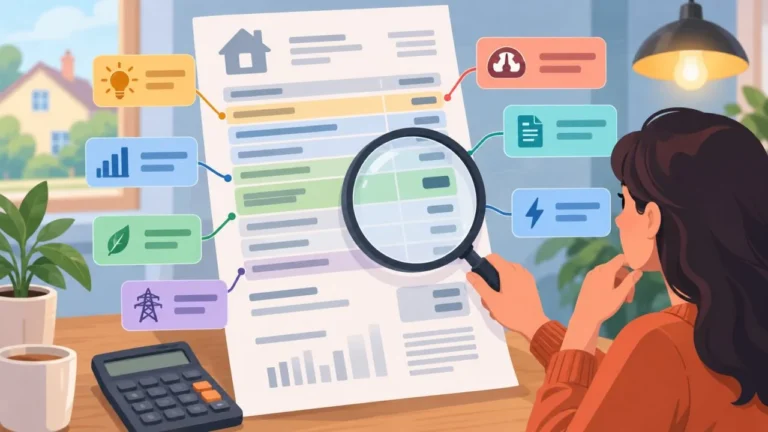
Place the current and previous copies side by side. First compare the billing period and reading dates. Next compare units, tariff category, fixed charges, fuel or quarterly adjustments, taxes, arrears and the final payable amount. A total can rise even when one line decreases because several components are calculated separately. Mark each changed line and keep a short explanation beside it.
If the bill is being checked on a mobile phone, zoom in before reading small numbers and download the file instead of relying on a temporary screen. If you print it, choose a readable scale and keep the first page with the reference number. Never send a cropped image that removes the billing month or account details when asking for official help.
When to contact GEPCO
Contact the relevant official route when the account details are wrong, the meter reading is clearly inconsistent, a payment is not reflected, a duplicate bill cannot be retrieved, or a service request has passed its stated follow-up time. Include the exact field in question, the evidence you have, and the action you want: correction, confirmation, duplicate copy or status update. Save the response and the complaint number.
Tariffs, taxes, adjustment rules and office procedures can change. Use the current information published by GEPCO for the final decision, especially before paying an unusual amount or submitting identity documents. This article explains a checking method; it does not replace an official bill, tariff notification or written response from the distribution company.
Short answer for search and voice queries
To check a GEPCO bill, use the exact reference number on the bill through the official lookup route, review the billing month, readings, units, charges, taxes, due date and payable amount, then save a copy. If a field is wrong, photograph the meter or receipt, keep the bill and contact the correct GEPCO subdivision with a complaint reference.
Related GEPCO guides
Use these related guides to compare your bill, keep the right records and choose the correct next step:
Check your GEPCO bill in seconds
Enter your 14-digit reference number and your current bill, due date and downloadable copy load right away.
Disclaimer: GEPCOCheckBill.com.pk is an independent, informational guide and is not affiliated with, endorsed by, or operated by the Gujranwala Electric Power Company (GEPCO) or PITC. All bill data displayed comes directly from the official billing records. This site does not generate, alter, or process payments.