Skip to content
GEPCO Online Bill Check Previous Month: Complete Step by Step Guide 2026
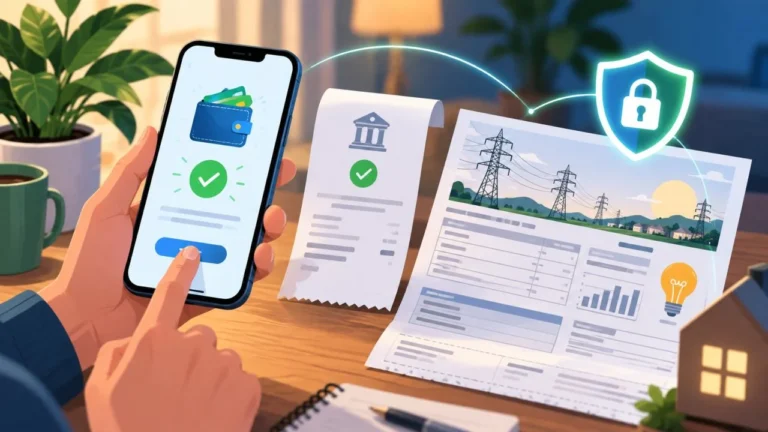
If you are a GEPCO consumer and you want to check your electricity bill for the previous month, you have come to the right place. Whether you lost your paper bill, never received it, or simply want to keep a record of past bills, this guide covers everything you need to know in simple, plain language. You do not need to visit any GEPCO office, stand in any queue, or call anyone. Everything can be done from your phone or computer within a few minutes.
This guide is written for everyday people living in Gujranwala, Sialkot, Gujrat, Hafizabad, Mandi Bahauddin, Narowal, and all other areas served by GEPCO. We will walk you through how to check your current bill, how to find your previous month bill, how to download a duplicate copy, how to understand every charge on the bill, and how to pay it online or offline.
Table of Contents
- What is GEPCO
- What is GEPCO Online Bill Check Previous Month
- Why People Need to Check Previous Month GEPCO Bill
- What You Need Before You Start
- How to Check GEPCO Bill Online Step by Step
- How to Check GEPCO Online Bill Check Previous Month
- How to Find Your 14 Digit Reference Number
- How to Check GEPCO Bill by Consumer ID
- Can You Check GEPCO Bill by CNIC
- How to Download GEPCO Duplicate Bill
- How to Print Your GEPCO Bill
- GEPCO Bill History and 12 Month Usage Chart
- How to Check GEPCO Bill Using the GEPCO Smart App
- How to Pay GEPCO Bill Online
- How to Pay GEPCO Bill at a Bank or Agent
- Understanding Every Charge on Your GEPCO Bill
- GEPCO Electricity Slab Rates 2026
- Common Problems When Checking GEPCO Bill Online and Their Solutions
- GEPCO Coverage Areas and Districts
- GEPCO Customer Support Helpline
- Tips to Reduce Your Monthly GEPCO Bill
- Frequently Asked Questions
What is GEPCO
GEPCO stands for Gujranwala Electric Power Company. It is one of nine electricity distribution companies in Pakistan and is responsible for supplying electricity to millions of homes, businesses, farms, and industries across central Punjab. GEPCO was established in 1998 and today serves more than 3.7 million consumers across six major districts.
GEPCO operates under the Water and Power Development Authority and is regulated by the National Electric Power Regulatory Authority, also known as NEPRA. Every month it generates electricity bills for all consumers in its coverage area, and it provides an online portal through PITC (Pakistan Information Technology Corporation) where consumers can check and download their bills at any time.
What is GEPCO Online Bill Check Previous Month
When people search for GEPCO online bill check previous month, they are usually trying to do one of the following things:
They want to see the bill that was generated last month because they missed paying it or never received the paper copy. Or they want to compare this month’s charges with what they paid last month. Or they need an old bill for official documentation, property records, or tenancy purposes.
The GEPCO online system works through the official PITC billing portal. When you enter your reference number, the portal loads the most recent bill linked to your connection. That bill itself contains a billing history section at the bottom which shows your consumption and charges for the past several months. This means that by checking your current bill, you also get a record of your previous months without having to do anything extra.
Why People Need to Check Previous Month GEPCO Bill
There are many reasons why someone might want to check or download a bill from a previous month. Here are the most common situations:
The paper bill was lost or thrown away before payment was made. The bill arrived torn, faded, or damaged and you cannot read the amount clearly. You were travelling or abroad and missed the bill entirely. You need proof of your utility connection for a bank, court, visa office, or landlord. You want to dispute a charge and need to compare two months side by side. You never received the paper bill at your address because of a postal delay or wrong address. You want to track how much electricity you used in past months to manage your budget better.
In all of these situations, the GEPCO online system gives you access to your bill without any need to visit an office.
What You Need Before You Start
Before you go online to check your GEPCO bill, you only need one thing. That is either your 14 digit reference number or your 10 digit consumer ID. Both of these are printed on any old electricity bill you have at home, whether paid or unpaid.
You do not need to create any account. You do not need to register anywhere. You do not need to provide your CNIC or name. Just the reference number or consumer ID is enough.
If you do not have any old bill at home, read the section below on how to find your reference number without a physical bill.
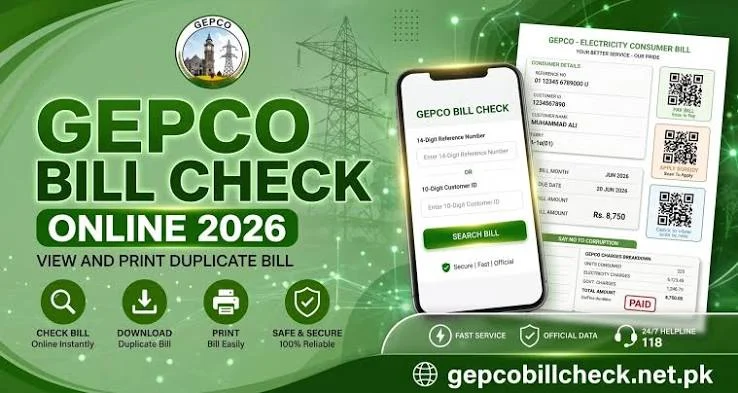
How to Check GEPCO Bill Online Step by Step
Checking your GEPCO bill online is very easy. Here are the steps:
Step 1 Open your phone browser or computer browser and go to the official PITC billing portal. The link is bill.pitc.com.pk/gepcobill
Step 2 You will see a simple form on the screen. It asks for your reference number or consumer ID.
Step 3 Type your 14 digit reference number carefully. Do not add any spaces, dashes, or extra characters. Enter the number exactly as it appears on your bill.
Step 4 Click the button that says Check Bill or View Bill or Show, depending on the version of the page you are using.
Step 5 Wait a few seconds. The system will connect to the PITC server and pull your latest bill information.
Step 6 Your GEPCO bill will appear on the screen in full detail. You can see the amount due, the due date, your meter readings, and all the charges.
Step 7 If you want to save the bill, use the download option to save it as a PDF. If you want a printed copy, use the print option.
That is all. The whole process usually takes less than two minutes.
How to Check GEPCO Online Bill Check Previous Month
This is the part most people are searching for. Here is the honest and complete answer.
The GEPCO PITC portal does not have a separate button or menu where you can select a specific previous month and pull that bill directly. It loads your most recent bill by default.
However, you can still access previous month information in the following ways:
Method 1: Look at the Bill History Chart on Your Current Bill
When your bill loads through the PITC portal, scroll to the bottom half of the bill. You will see a printed chart or table that shows your electricity consumption and bill amounts for the past 12 months. This is the billing history section. It lists the month, units consumed, amount billed, and payment status for each of the previous months. This is the official record of your billing history and it is printed on every GEPCO bill.
Method 2: Use Third Party Bill History Websites
Some third party websites store bill data each time consumers check their bills. If you or anyone else checked your bill on one of these platforms before, they may have saved a copy. Websites like iescobill.pk allow you to enter your reference number and see previous bill records that were stored on their system. This is not an official service but it can be helpful if you need a specific old bill amount.
Method 3: Check Your Banking App Transaction History
If you paid your previous months bill through an app like JazzCash, Easypaisa, HBL Mobile, or any other banking app, you can open that app and go to the transaction history or bill payment history section. The app will show you the amount you paid, the reference number used, and the date of payment. This serves as proof of payment for previous months.
Method 4: Call the GEPCO Helpline
If none of the above options work for you, call the GEPCO customer care helpline. The numbers are listed below in the helpline section. The representative can look up your account history and tell you the bill amount for previous months based on your reference number or consumer ID.
Method 5: Visit a GEPCO Office
If you need an official printed copy of an old bill for legal or documentation purposes, you can visit your nearest GEPCO divisional office. Bring any old bill or your connection documents and the staff can help retrieve your billing history.
How to Find Your 14 Digit Reference Number
The 14 digit reference number is the key to checking your GEPCO bill online. Here is exactly where to find it:
Pick up any old GEPCO electricity bill, whether paid or unpaid. Look at the top portion of the bill. You will see a box or section with your name and address. Just below or next to your name, there is a row labeled Reference No or Ref No. The 14 digit number printed there is your reference number.
In some bill formats, the reference number appears on the third row from the top on the right side of the bill, just below the Customer ID.
This number never changes. The same 14 digit reference number is printed on every monthly bill for your connection.
If you do not have any old bill at home:
Check with your landlord or property owner if you are a tenant. They likely have a copy of the connection documents. Look for your meter card. The reference number is sometimes written there. Ask a family member who may have kept a paid bill receipt. Check your email or WhatsApp if someone ever sent you a bill photo. Visit your nearest GEPCO office with your CNIC and address details and the staff will help you find your reference number.
How to Check GEPCO Bill by Consumer ID
If you have your 10 digit consumer ID instead of the 14 digit reference number, you can use that too. The consumer ID is also printed on your bill, usually on the same top section as the reference number. It may be labeled as Customer ID or Customer No.
On the PITC billing portal, there is usually an option to switch between entering a reference number and a consumer ID. Select the consumer ID option, enter your 10 digits, and follow the same steps as described above.
Both methods will give you the same bill information.
Can You Check GEPCO Bill by CNIC
No. The current GEPCO online billing system does not support searching by CNIC number or by name. You must use either the 14 digit reference number or the 10 digit consumer ID. There is no workaround for this. If you do not have either of these numbers, follow the steps mentioned above in the reference number section to recover them.
How to Download GEPCO Duplicate Bill
A duplicate bill is simply a digital copy of your original bill. It is completely free to generate and download. You do not need to pay anything or register anywhere.
Once your bill appears on screen after entering your reference number, look for a download or print button. Click download to save the bill as a PDF file on your phone or computer.
This PDF copy is valid for payment. You can take it to any bank or payment agent and pay using the printed amount and reference number.
If the download button is not visible on the mobile browser, try opening the page on a desktop browser, or use the print option and choose Save as PDF from the print dialog.
How to Print Your GEPCO Bill
Once your bill appears on screen, click the Print button. If you are on a computer, your default print window will open. Select your printer and print.
If you are on a mobile phone, tap the three dots or share button in your browser and select Print. Make sure your phone is connected to a printer via WiFi or Bluetooth.
You can also use any nearby print shop. Save the bill as a PDF and take it to the printer on a USB drive or share it on WhatsApp.
GEPCO Bill History and 12 Month Usage Chart
Every GEPCO bill contains a billing history section at the bottom. This section shows a bar chart or a table listing your electricity consumption for each of the past 12 months. Each entry shows the billing month, the number of units consumed, and the bill amount.
This built in history is very useful for tracking your electricity usage over time. If you notice your consumption is higher in certain months, you can take steps to reduce it before the next bill arrives.
The billing history section is part of the official printed bill and is generated by the PITC system. You do not need to do anything extra to see it. It appears automatically when your bill loads.
How to Check GEPCO Bill Using the GEPCO Smart App
GEPCO also has an official mobile application called the GEPCO Smart App. It is developed by PITC and is available on the Google Play Store for Android phones.
To use the app, download it from the Play Store, open it, and enter your reference number. The app will show you your current bill details. The app provides the same information as the website but in a mobile friendly format.
The app is useful if you check your bill regularly every month and want a convenient way to do it without opening a browser each time.
How to Pay GEPCO Bill Online
There are many easy ways to pay your GEPCO bill online without visiting a bank.
JazzCash Open the JazzCash app on your phone. Go to Bill Payment. Search for GEPCO. Enter your 14 digit reference number. The app will show your bill amount. Confirm the payment and it will be processed instantly.
Easypaisa Open the Easypaisa app. Go to the Payments or Bills section. Select GEPCO. Enter your reference number. Confirm and pay.
HBL Mobile Open the HBL Mobile Banking app. Go to Pay Bills. Select electricity and choose GEPCO. Enter your reference number and confirm.
UBL Digital Open the UBL app, go to Bill Payments, select GEPCO, enter your reference number, and pay.
Other Bank Apps Almost all major Pakistani bank apps now support GEPCO bill payments. These include MCB Live, Allied myABL, Meezan Digital, Bank Alfalah Alfa, and NBP Digital. The process is the same in all of them. Go to bill payment, select GEPCO, enter your reference number, and confirm.
ATM Visit any ATM of a major bank. Select Bill Payment, then Electricity, then GEPCO. Enter your 14 digit reference number. Verify the amount and confirm. Keep the ATM receipt as proof.
Internet Banking Log in to your bank’s internet banking website. Go to the Bill Payment section. Select GEPCO, enter your reference number, and process the payment.
Online payment is available 24 hours a day, 7 days a week. There is usually no extra charge for paying online, though some apps may charge a very small processing fee which will be shown before you confirm.
How to Pay GEPCO Bill at a Bank or Agent
If you prefer to pay in person, you can visit any of the following:
Commercial Banks You can pay your GEPCO bill at the counter of any major commercial bank branch in Pakistan. These include Habib Bank Limited, United Bank Limited, MCB Bank, Allied Bank, National Bank of Pakistan, and Bank Alfalah. Take a printed or downloaded copy of your bill to the bank. The teller will process your payment and give you a stamped receipt. Keep this receipt as proof of payment.
Pakistan Post Offices Post offices in many cities and towns accept utility bill payments. Check with your nearest post office to confirm availability.
Easypaisa and JazzCash Agents If you do not have a smartphone or prefer not to use an app, you can visit any Easypaisa or JazzCash shop or agent in your area. Give the agent your bill or reference number, pay the cash amount, and the agent will process the payment and give you a receipt.
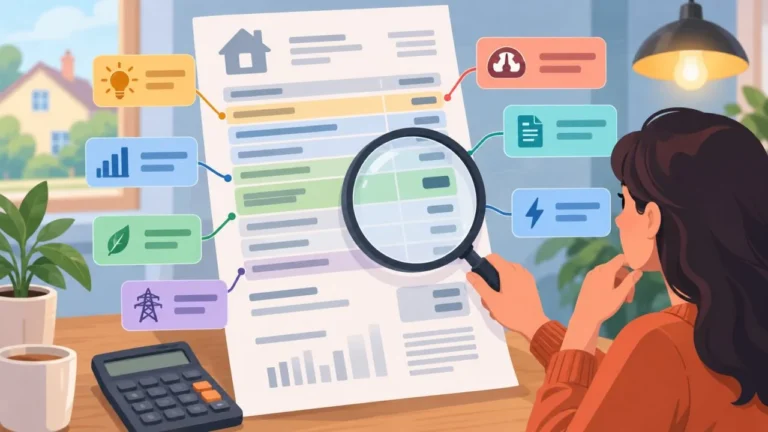
Understanding Every Charge on Your GEPCO Bill
Many people are confused when they look at their electricity bill because there are many different charges listed. Here is a simple explanation of each one.
Consumer Name and Service Address This shows your registered name and the address connected to your electricity meter. Always verify this when you receive your bill to make sure it belongs to the right property.
Reference Number (14 Digits) This is your unique electricity connection identifier. It never changes from month to month. You need it every time you want to check or pay your bill online.
Customer Account Number (Consumer ID) This is a 10 digit number that also identifies your account. It may be used when filing complaints or applying for new services.
Billing Month This shows which month the bill is for. Always check this to confirm the bill belongs to the current or correct billing period.
Issue Date and Due Date The issue date is when the bill was generated. The due date is the last day you can pay without getting a late payment penalty. Always pay before the due date.
Previous and Current Meter Readings These two numbers show the reading on your electricity meter at the start and end of the billing period. The difference between them is your consumption for that month.
Monthly Units Consumed This shows how many kilowatt hours of electricity you used during the billing month. This number directly determines how much you pay.
Energy Charges This is the base cost of electricity based on your units consumed and the applicable slab rate. See the slab rate table below.
Fixed Charges A monthly fixed charge applies regardless of how many units you consume. This is charged even if you use zero units.
Fuel Price Adjustment (FPA) This is a variable charge that changes every month based on the actual cost of fuel used to generate electricity. It can be positive or negative. When fuel costs are high, this adds to your bill. When fuel costs drop, it reduces your bill slightly.
Financial Cost Surcharge This is a per unit surcharge added to cover power sector financing costs.
Neelum Jhelum Surcharge A small per unit levy that is collected to support the Neelum Jhelum hydropower project debt repayment.
General Sales Tax (GST) GST is charged at 18 percent on most components of your electricity bill. This is a federal government tax.
Electricity Duty Punjab province levies an electricity duty of 1.5 percent on energy charges. This is a provincial tax.
TV License Fee A fixed monthly fee of approximately 35 rupees for domestic consumers and 60 rupees for commercial consumers. This is paid to the government.
Outstanding Amount If you have any unpaid amount from a previous month, it will appear here as outstanding. You must pay this along with the current bill to avoid disconnection.
Total Payable Amount This is the final amount you need to pay. It includes all the charges, surcharges, and taxes mentioned above.
GEPCO Electricity Slab Rates 2026
GEPCO follows NEPRA approved electricity tariff slab rates. The rates differ based on whether you are a protected consumer or an unprotected consumer.
Protected Consumers A consumer is considered protected if their average monthly consumption over the past 12 months does not exceed 200 units per month. Protected consumers pay a lower subsidized rate.
Slab 1 covers 1 to 100 units and is charged at approximately 7.74 rupees per unit. Slab 2 covers 101 to 200 units and is charged at approximately 10.06 rupees per unit.
Unprotected Consumers A consumer is unprotected if their monthly consumption exceeds 200 units in any given month. Unprotected consumers pay higher rates on all their units, not just the extra ones above 200.
1 to 100 units are charged at approximately 13.48 rupees per unit. 101 to 200 units are charged at approximately 18.95 rupees per unit. 201 to 300 units are charged at approximately 22.14 rupees per unit. 301 to 400 units are charged at approximately 27.94 rupees per unit. 401 to 500 units are charged at approximately 32.03 rupees per unit. 501 to 700 units are charged at approximately 35.24 rupees per unit. Above 700 units are charged at approximately 42.72 rupees per unit.
It is very important to note that these are base energy charges only. After adding GST, electricity duty, FPA, fixed charges, and other surcharges, the total bill amount will typically be 40 to 60 percent higher than the base energy charge alone.
The 200 Unit Threshold Warning Many consumers do not realize that in Pakistan, slab billing works as an all or nothing system in many billing cycles. If you consume 201 units instead of 199, you may shift from the protected category to the unprotected category, meaning all your units are billed at the higher unprotected rate. Even saving a few units in months where you are close to this threshold can make a big difference in your total bill.
Common Problems When Checking GEPCO Bill Online and Their Solutions
Problem: The website is not loading This usually happens near the bill due date when millions of consumers are checking their bills at the same time. Try again in the early morning when traffic is lower. You can also try the GEPCO Smart App as an alternative.
Problem: Invalid reference number error Check that you entered all 14 digits correctly. Make sure there are no spaces, dashes, or extra characters. Try entering from a different browser or device. Also check that you are using your own reference number and not someone else’s.
Problem: No bill found This can happen if your bill has not been generated yet for the current month. Try again a few days later. It can also happen if you entered the wrong number.
Problem: Bill shows a late fee even though it is before the due date This is sometimes a system display issue and does not mean you will be charged extra. Pay the normal amount listed before the due date and the late fee will not be applied.
Problem: Cannot check bill by CNIC As explained above, GEPCO does not support CNIC based bill checks. You must use the reference number or consumer ID.
Problem: Bill amount seems much higher than usual Check the outstanding amount section. You may have an unpaid balance from a previous month included in this bill. Also check if a Fuel Price Adjustment was applied this month. Finally, verify that the meter readings are correct by comparing them to your actual meter.
Problem: Bill shows zero units consumed This could be a meter reading error. Contact GEPCO helpline and request a meter reading verification.
GEPCO Coverage Areas and Districts
GEPCO supplies electricity across six major districts in central Punjab. Each district has several sub districts or divisions under it.
Gujranwala district covers Gujranwala city and Gujranwala rural areas.
Gujrat district covers Gujrat, Kharian, Sarai Alamgir, Dinga, Lala Musa, Jalalpur Jattan, and Kunjah.
Hafizabad district covers Hafizabad, Pindi Bhattian, Jalalpur Bhattian, and Sukheke.
Mandi Bahauddin district covers Mandi Bahauddin, Phalia, and Malakwal.
Narowal district covers Narowal, Shakargarh, and Zafarwal.
Sialkot district covers Sialkot, Pasrur, Sambrial, and Daska.
If your home or business is located in any of these areas, you are a GEPCO consumer and can use all the online services described in this guide.
GEPCO Customer Support Helpline
If you are unable to resolve an issue on your own, you can contact GEPCO directly.
The GEPCO customer care phone numbers are:
+92-55-9200504 +92-55-9200516 +92-55-9200592
You can also call the national electricity helpline number 118 for general queries.
The official GEPCO website is gepco.com.pk
When calling, have your reference number or consumer ID ready so the representative can quickly locate your account.
Tips to Reduce Your Monthly GEPCO Bill
Managing your electricity usage is one of the best ways to keep your bill under control. Here are practical tips that can make a real difference.
Know your slab threshold. The biggest savings come from staying under the 200 unit threshold. If you are consistently close to 200 units, reducing by even 10 to 15 units can potentially keep you in the protected consumer category and save a significant amount.
Switch off appliances at the socket. Many devices continue drawing power even when turned off if they are still plugged in. Air conditioners, televisions, and phone chargers are common culprits.
Run heavy appliances in off peak hours. If your connection is a three phase connection billed on time of use rates, running heavy appliances like washing machines and water pumps outside of 6 PM to 10 PM will cost you less per unit.
Use energy saver bulbs and LED lights throughout your home. They use up to 80 percent less electricity than standard bulbs.
Service your air conditioner regularly. A dirty or poorly maintained AC uses significantly more electricity to cool the same space. Clean the filters every month during summer.
Set your air conditioner temperature to 26 degrees Celsius. Each degree lower increases energy consumption by approximately 8 percent. 26 degrees is comfortable and efficient.
Check your meter regularly. Compare the reading on your meter with the reading shown on your bill each month. If the numbers do not match, contact GEPCO immediately to get a meter check done.
Frequently Asked Questions
How do I check GEPCO bill for the previous month? Enter your 14 digit reference number on the official PITC billing portal. Your latest bill will appear on screen. Scroll to the bottom of that bill where you will find a 12 month billing history chart that shows all your previous months charges and consumption.
Can I see my GEPCO bill history online? Yes. Every GEPCO bill generated through the PITC portal includes a 12 month billing history printed at the bottom. You cannot download a completely separate old bill from the portal, but the history table gives you all the important figures for previous months.
What is the GEPCO official website for checking bills? The official PITC billing portal for GEPCO is bill.pitc.com.pk/gepcobill
How do I check my GEPCO duplicate bill? Go to bill.pitc.com.pk/gepcobill, enter your 14 digit reference number, and click View Bill. The bill that appears is your duplicate bill and is completely valid for payment.
Can I check GEPCO bill without a reference number? You can use the 10 digit consumer ID as an alternative. If you have neither number, contact the GEPCO helpline at 118 or visit your nearest GEPCO office with your CNIC and address details.
Is the duplicate GEPCO bill valid for payment? Yes. The bill generated online through the official PITC portal is fully valid for making payment at any bank, ATM, or online payment service.
This article is intended for informational purposes. For official billing and payment services, always use the official PITC portal at bill.pitc.com.pk or contact GEPCO directly.
Practical checklist for GEPCO Online Bill Check Previous Month: Complete Step by Step Guide 2026
Before you finish this task, write down the bill month, reference number, current reading, previous reading, units, due date and payable amount. Keeping these fields together helps you explain the issue in one message and gives the office a useful starting point. If you are checking a bill for a family member or tenant, confirm who is responsible for the connection and keep the account holder informed.
Make a month-by-month record rather than relying on memory. A simple note can include the reading date, meter photograph, units consumed, payment date, receipt number and any complaint number. When a value changes, describe the change in plain language: for example, the reading is estimated, the units are higher than the meter record, or an adjustment appears for the first time. Clear facts are more useful than an accusation.
How to compare two GEPCO bills
Place the current and previous copies side by side. First compare the billing period and reading dates. Next compare units, tariff category, fixed charges, fuel or quarterly adjustments, taxes, arrears and the final payable amount. A total can rise even when one line decreases because several components are calculated separately. Mark each changed line and keep a short explanation beside it.
If the bill is being checked on a mobile phone, zoom in before reading small numbers and download the file instead of relying on a temporary screen. If you print it, choose a readable scale and keep the first page with the reference number. Never send a cropped image that removes the billing month or account details when asking for official help.
When to contact GEPCO
Contact the relevant official route when the account details are wrong, the meter reading is clearly inconsistent, a payment is not reflected, a duplicate bill cannot be retrieved, or a service request has passed its stated follow-up time. Include the exact field in question, the evidence you have, and the action you want: correction, confirmation, duplicate copy or status update. Save the response and the complaint number.
Tariffs, taxes, adjustment rules and office procedures can change. Use the current information published by GEPCO for the final decision, especially before paying an unusual amount or submitting identity documents. This article explains a checking method; it does not replace an official bill, tariff notification or written response from the distribution company.
Short answer for search and voice queries
To check a GEPCO bill, use the exact reference number on the bill through the official lookup route, review the billing month, readings, units, charges, taxes, due date and payable amount, then save a copy. If a field is wrong, photograph the meter or receipt, keep the bill and contact the correct GEPCO subdivision with a complaint reference.
Related GEPCO guides
Use these related guides to compare your bill, keep the right records and choose the correct next step:
Check your GEPCO bill in seconds
Enter your 14-digit reference number and your current bill, due date and downloadable copy load right away.
Disclaimer: GEPCOCheckBill.com.pk is an independent, informational guide and is not affiliated with, endorsed by, or operated by the Gujranwala Electric Power Company (GEPCO) or PITC. All bill data displayed comes directly from the official billing records. This site does not generate, alter, or process payments.