Skip to content
GEPCO Meter Reading Verification Before Billing

GEPCO Meter Reading Verification Before Billing
Updated September 2026: Compare the meter display with billed units, note the reading date and report an estimated or incorrect reading. This guide is written for GEPCO consumers who want a clear, safe and practical process.
Quick answer
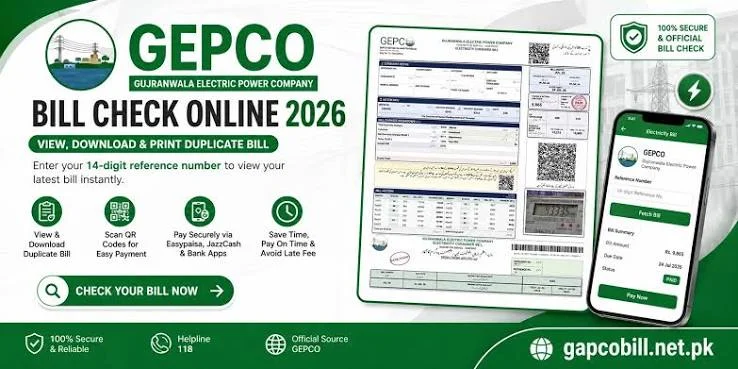
Start with the official GEPCO bill lookup using the exact reference number printed on your bill. Compare the consumer name, billing month, meter reading, units, due date and payable amount. Save the result before contacting an office or making a second payment.
What to check first
Read the reference number slowly and compare it with a previous copy. Then confirm the billing period, current and previous readings, billed units, tariff category, fuel or quarterly adjustments, taxes, arrears and the final amount. A small mismatch can explain a large difference, so record the exact field instead of describing the problem generally.
Use the account information only on the official portal or an authorised payment channel. Do not post your full reference number, CNIC or receipt in a public comment. If another person manages the connection, share only the minimum details needed to solve the issue.
Step-by-step process
- Open the official GEPCO bill-check route and enter the reference number without spaces.
- Wait for the current bill to load, then check the consumer name, address and billing month.
- Compare meter readings and units with the physical meter or your own monthly record.
- Review due date, late payment surcharge, taxes, adjustments, arrears and payable total.
- Download or print a copy and note the date, time and payment reference if you pay.
- If something is wrong, contact the relevant subdivision with the bill copy and evidence.
How to investigate a difference
A higher total may come from more units, a changed tariff slab, an estimated reading, arrears, a delayed payment, government taxes or an adjustment. Compare at least two bills and write the difference in a small table: field, old value, new value and evidence. This makes a complaint easier for staff to understand and reduces repeated visits.
For a missing online bill, recheck each digit, try the latest billing cycle and keep the previous bill. For a payment question, keep the bank, wallet or app receipt and never assume a paid status from a screenshot alone. Wait for the next official status or request confirmation through the correct office.
Documents and evidence
Keep a clear copy of the bill, meter photo showing the reading and date, payment receipt, application or complaint number, and any relevant ownership or tenancy document. Name files by month so you can find them quickly. When an office asks for identification, provide it through the official channel and check that the receiving office is genuine.
Common mistakes to avoid
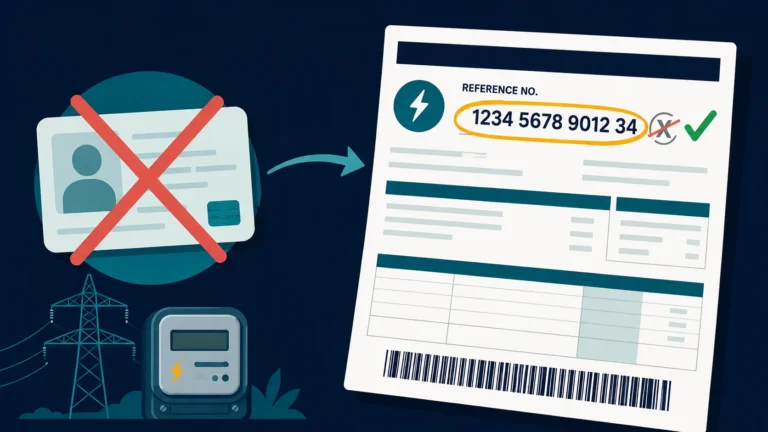
- Entering a digit from the consumer ID instead of the reference number.
- Paying twice before checking the receipt and current status.
- Comparing totals without comparing units and billing dates.
- Using an unofficial page that asks for unnecessary personal information.
- Opening a complaint without saving its tracking number.
FAQs
Which number should I use?
Use the identifier requested by the official GEPCO lookup form. The 14-digit reference number is commonly printed on the bill; consumer ID and reference number are not always interchangeable.
What if the amount looks wrong?
Compare readings, units, tariff and adjustments with the previous bill, photograph the meter and submit a documented correction request.
How do I keep proof?
Save the downloaded bill and payment receipt with the billing month and reference number in the filename.
Where can I get help?
Use the official GEPCO website, helpline or subdivision details printed on the bill. Keep the complaint number for follow-up.
Information changes with tariff notifications and official procedures. Check the current GEPCO source before acting.
Practical checklist for GEPCO Meter Reading Verification Before Billing
Before you finish this task, write down the bill month, reference number, current reading, previous reading, units, due date and payable amount. Keeping these fields together helps you explain the issue in one message and gives the office a useful starting point. If you are checking a bill for a family member or tenant, confirm who is responsible for the connection and keep the account holder informed.
Make a month-by-month record rather than relying on memory. A simple note can include the reading date, meter photograph, units consumed, payment date, receipt number and any complaint number. When a value changes, describe the change in plain language: for example, the reading is estimated, the units are higher than the meter record, or an adjustment appears for the first time. Clear facts are more useful than an accusation.
How to compare two GEPCO bills
Place the current and previous copies side by side. First compare the billing period and reading dates. Next compare units, tariff category, fixed charges, fuel or quarterly adjustments, taxes, arrears and the final payable amount. A total can rise even when one line decreases because several components are calculated separately. Mark each changed line and keep a short explanation beside it.
If the bill is being checked on a mobile phone, zoom in before reading small numbers and download the file instead of relying on a temporary screen. If you print it, choose a readable scale and keep the first page with the reference number. Never send a cropped image that removes the billing month or account details when asking for official help.
When to contact GEPCO
Contact the relevant official route when the account details are wrong, the meter reading is clearly inconsistent, a payment is not reflected, a duplicate bill cannot be retrieved, or a service request has passed its stated follow-up time. Include the exact field in question, the evidence you have, and the action you want: correction, confirmation, duplicate copy or status update. Save the response and the complaint number.
Tariffs, taxes, adjustment rules and office procedures can change. Use the current information published by GEPCO for the final decision, especially before paying an unusual amount or submitting identity documents. This article explains a checking method; it does not replace an official bill, tariff notification or written response from the distribution company.
Short answer for search and voice queries
To check a GEPCO bill, use the exact reference number on the bill through the official lookup route, review the billing month, readings, units, charges, taxes, due date and payable amount, then save a copy. If a field is wrong, photograph the meter or receipt, keep the bill and contact the correct GEPCO subdivision with a complaint reference.
Related GEPCO guides
Use these related guides to compare your bill, keep the right records and choose the correct next step:
Check your GEPCO bill in seconds
Enter your 14-digit reference number and your current bill, due date and downloadable copy load right away.
Disclaimer: GEPCOCheckBill.com.pk is an independent, informational guide and is not affiliated with, endorsed by, or operated by the Gujranwala Electric Power Company (GEPCO) or PITC. All bill data displayed comes directly from the official billing records. This site does not generate, alter, or process payments.